



Computer hardware forms the bedrock of digital technology, encompassing the tangible components that power both analog and digital computing systems. This article dives into the world of computer hardware, detailing its components, their functions, and how they interact to enable seamless computing experiences.
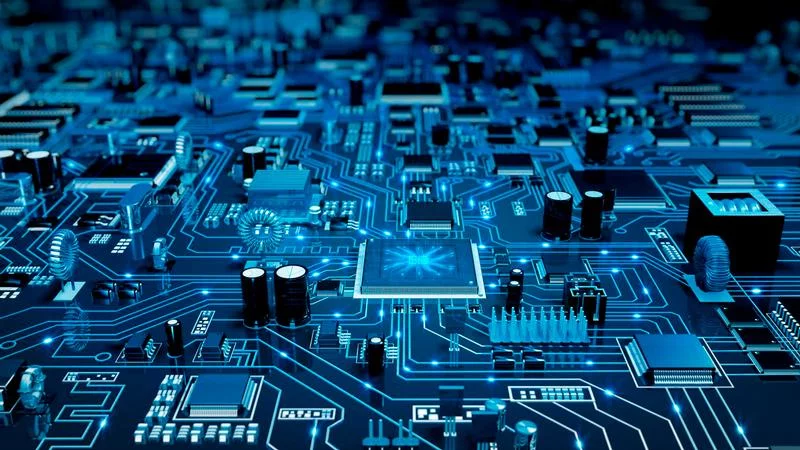
Computer Hardware Overview
Computer hardware represents the physical components that compose the foundation of any computing system, distinguishing them from the intangible realm of software. Hardware and software are symbiotic, working together to bring computers to life and perform various tasks efficiently.
Internal Computer Hardware Components
The internal hardware components constitute the inner workings of a computer, processing instructions from software and the operating system (OS). These key components include:
- Motherboard: The motherboard is a central printed circuit board that acts as a hub connecting various hardware components. It houses the CPU, RAM, and provides connectors for other devices.
- CPU (Central Processing Unit): The CPU is the computer’s brain, executing instructions from programs and software. Its clock speed determines how quickly these tasks are completed.
- RAM (Random Access Memory): RAM serves as temporary memory storage, providing quick access to data that programs need to function effectively. It’s a volatile memory, meaning its content is cleared when the computer is powered off.
- Hard Drive: Hard disk drives (HDDs) store a mix of permanent and temporary data, including programs, the OS, and various files.
- Solid-State Drive (SSD): SSDs are a newer storage technology based on NAND flash memory. Unlike HDDs, they retain data even when the computer is powered down.
- Optical Drive: Optical drives read and interact with nonmagnetic external media, such as CDs and DVDs, allowing data retrieval from these sources.
- Heat Sink: The heat sink is a passive component that helps regulate and reduce the temperature of critical hardware components, such as the CPU.
- Graphics Processing Unit (GPU): GPUs are responsible for processing and rendering graphical data, often working in conjunction with the CPU.
- Network Interface Card (NIC): NICs enable computers to connect to networks and communicate with other devices, supporting both wired and wireless connections.
External Hardware Components
External hardware components, also known as peripherals, provide input and output functions that extend the capabilities of the computer.
Key input peripherals include:
- Mouse: The mouse is a hand-held pointing device used to control the cursor on the screen, facilitating interaction with on-screen objects.
- Keyboard: Keyboards provide input through a standard QWERTY layout, allowing users to input text, numbers, and special characters.
- Microphone: Microphones translate sound waves into electrical signals, enabling computer-based audio communication and voice recognition.
- Camera: Cameras capture visual images and stream them to the computer or other network devices.
- Touchpad: Touchpads serve as an alternative to mice, controlling the pointer’s movement on the display screen.
- USB Flash Drive: USB flash drives provide portable external storage through flash memory, interfacing with computers via USB ports.
Output peripherals include:
- Monitor: Monitors display information, documents, or images generated by the computer.
- Printer: Printers translate electronic data into printed material.
- Speaker: Speakers produce audio output, providing sound for various computer functions.
- Headphones, Earphones, Earbuds: These devices offer audio output for a single listener, often used for private audio experiences.
Hardware vs. Software
Hardware and software coexist as the two pillars of computing. Hardware comprises the physical components that execute software instructions, while software consists of the instructions themselves. This includes the OS, control programs, and user applications.
Hardware Virtualization
Hardware virtualization involves creating virtual versions of hardware resources using software. This decouples physical hardware from software, allowing for greater flexibility and efficient resource sharing. Virtualization is achieved using a hypervisor, enabling multiple operating systems to share the same physical resources.
Hardware as a Service (HaaS)
HaaS is a model where hardware is leased from a service provider rather than being purchased. The provider is responsible for maintaining and updating the hardware. This model shifts hardware expenses from capital expenditure to operational expenditure, providing cost control and access to up-to-date hardware resources.
The Bottom Line
Computer hardware is the backbone of modern technology, powering everything from personal computers to data centers. Its diverse components, spanning internal and external peripherals, work together to process data, provide input, and deliver output. Understanding the intricacies of computer hardware is essential for grasping how digital systems operate, and how they interact with software to create seamless user experiences.


