



In today’s digital landscape, nearly every website, from dating platforms to highly secure online banking portals, requires users to create accounts and devise passwords. However, the challenge lies in the fact that human memory can’t efficiently manage the multitude of passwords required. Some individuals resort to using overly simplistic passwords like “123456789” or “password,” while others attempt to memorize a single, randomly strong password for all their accounts. Unfortunately, both of these strategies can render one vulnerable to identity theft.
Password managers provide an effective solution to this predicament while offering remarkable convenience. By utilizing a password manager, the need to remember a plethora of strong and unique passwords for various accounts is eliminated. These managers store passwords on your behalf, aid in generating new, secure passwords, and even facilitate the secure transfer of your passwords to loved ones in the event of your passing.
It’s important to note that while the finest password managers mentioned in this article require payment, some can be accessed for free with certain limitations. If you prefer to avoid spending money and want unrestricted usage, fret not. A compilation of the best free password managers is also available in a separate article.
Our team has rigorously tested and evaluated numerous password managers, equipping you with the insight needed to choose the one that aligns most effectively with your requirements. If you find yourself dissatisfied with your initial selection, there’s no need to worry. Many services permit you to import or export your saved data from other password management tools, simplifying the transition between different managers.
1.Bitwarden
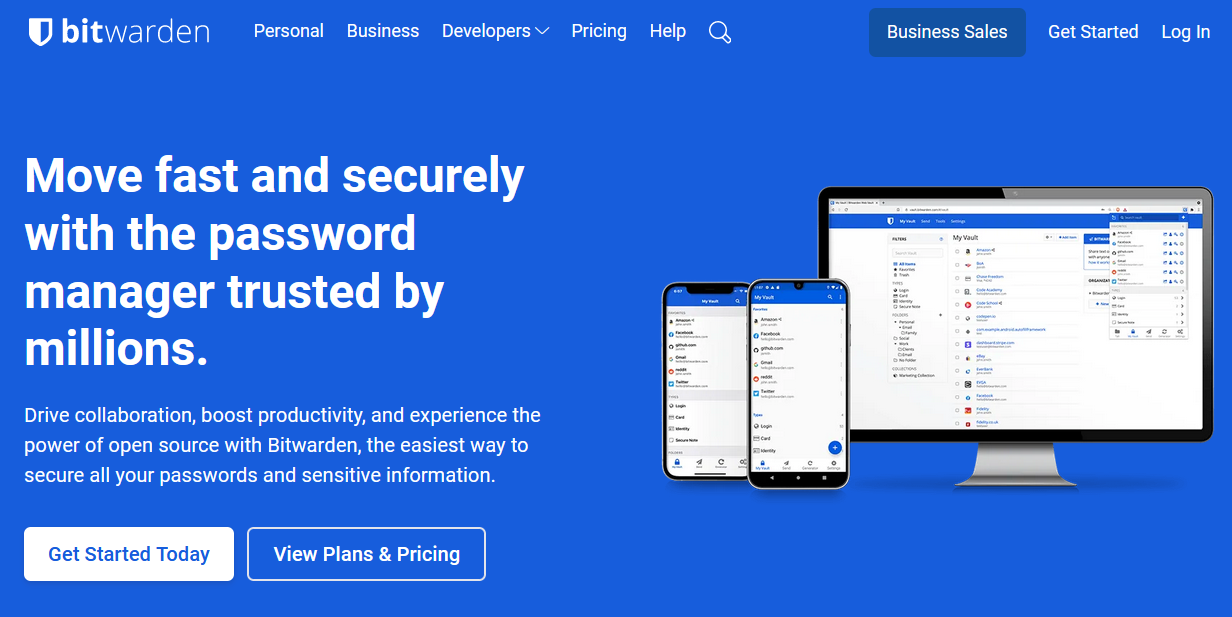
Bitwarden places a strong emphasis on data security, utilizing 256-bit AES encryption and a secure password generator to facilitate the creation of robust, hard-to-guess passwords, thus mitigating the risk of unauthorized access. The platform also boasts a tool that identifies weak passwords, reinforcing its security measures. Further offerings encompass device synchronization, password sharing, and automatic form-filling. Bitwarden’s versatility is underscored by its compatibility with various platforms and devices, including Android and iOS mobile platforms, enabling password management across diverse settings such as home, office, and while on the move.
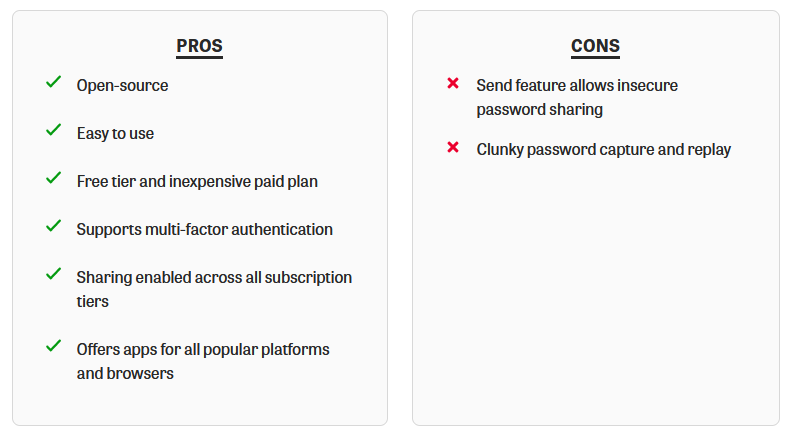
A standout feature of Bitwarden is its status as an open-source solution. While some might view this as a potential security limitation, the transparency exhibited by open-source developers proves invaluable for gaining a comprehensive understanding of how credentials are managed and handled.
Additional commendable attributes include the secure password generator and a user-friendly interface (UI). These features emerged as pivotal elements in adapting swiftly to the platform.
Who is Bitwarden best for?
Considering its target user base, Bitwarden offers tailored solutions for various individuals. Novices will find the intuitive UI easy to navigate, while more advanced users will appreciate the level of control afforded to them.
Recent upgrades to Bitwarden
Recent upgrades to Bitwarden’s offerings include iOS accounting switching enhancements, vault filtering on mobile devices, and overall improvements in accessibility. Regular updates, with a frequency of at least twice a month, demonstrate Bitwarden’s commitment to enhancement and refinement. The platform’s open-source nature fosters transparency regarding ongoing development and the roadmap for future releases. Moreover, users are encouraged to submit their enhancement ideas for review.
Bitwarden pricing
In terms of pricing, Bitwarden provides a free version for personal use alongside team and enterprise accounts with expanded options for business users. The free account accommodates usage on two devices simultaneously, while team and enterprise accounts extend to unlimited device usage.
The storage capacity is contingent on the version chosen. The free version permits storage of up to 50 passwords, while the paid tiers offer unlimited password storage.
Beyond the free version, paid subscriptions are available at $3 per month per person for organizations or $5 per user for enterprises. Enterprise features encompass Single Sign-On (SSO) options and streamlined administration tools. For personal use, users can opt for the free version or the premium plan, priced at approximately $1 per month (billed annually at $10), or a family plan at $3.33 per month for up to six users.
Pros and cons of Bitwarden
2. Dashlane
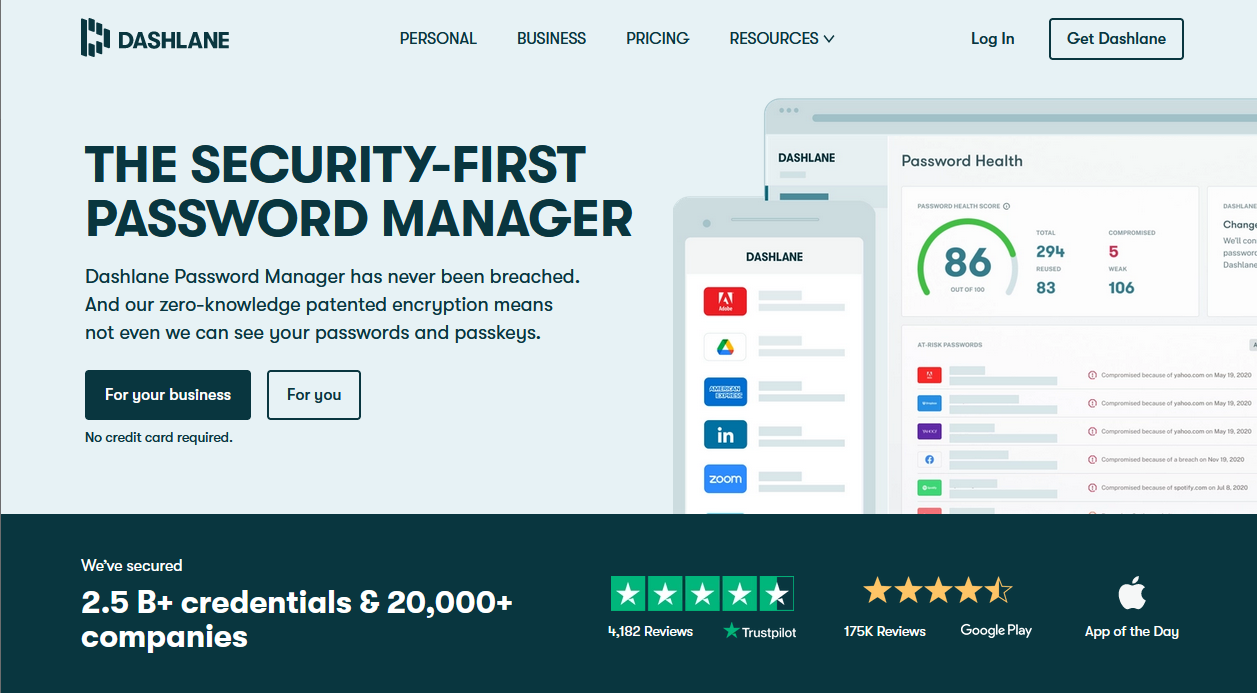
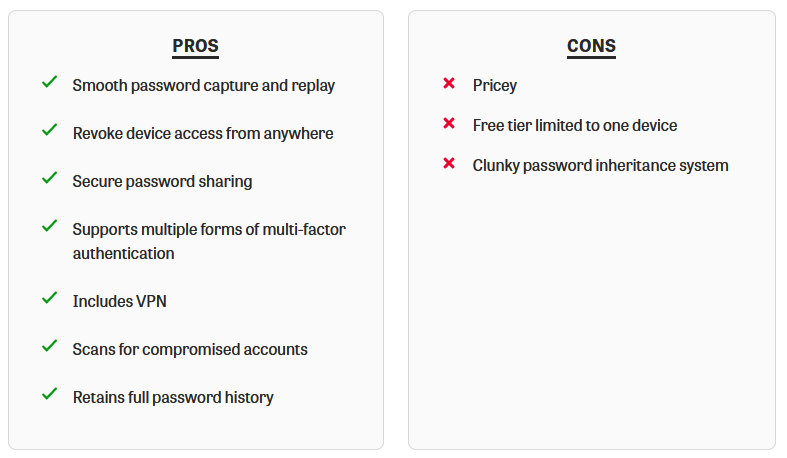
Dashlane stands as a versatile password manager, offering both free and paid account options accompanied by an extensive array of features. While the free version is limited to use on a single device and storage of up to 50 passwords, the paid tiers provide the advantage of unlimited password storage across an unrestricted number of devices. Security is a paramount concern for Dashlane, which employs 256-bit AES encryption—an industry-standard protocol—to safeguard user data against unauthorized access.
The platform assists in the creation of robust passwords that are difficult for hackers to decipher. Users can craft passwords utilizing a combination of uppercase and lowercase letters, numbers, and symbols, with a cap of up to 40 characters.
Dashlane distinguishes itself with its 24/7 support via phone and live chat. While customization options may not be the most extensive, the well-structured and supported plans offer an array of features. Among its notable offerings are automatic synchronization across devices, VPN protection, and dark web scans that notify users if any accounts have been compromised. These features assume significance in the context of proactively enhancing one’s overall security posture.
Advanced features further contribute to password security, including biometric authentication, automated form filling, and 256-bit AES encryption. These capabilities elevate Dashlane’s status as an industry-leading password manager that surpasses security benchmarks.
Who is Dashlane best for?
Dashlane proves particularly well-suited for beginners, although its adaptability ensures it can cater to more advanced users as well. It is cost-effective, providing a suite of essential tools like AES encryption, advanced authentication, and automated form filling. This premium-rich service possesses the capacity to evolve alongside users, serving not only as a password solution but also as a comprehensive security tool.
Recent upgrades to Dashlane
Continuously striving to enhance its offerings, Dashlane regularly updates and refines its services to maintain security and minimize bugs. Notably, recent upgrades include a new feature that allows users to access the Payments section through the browser extension, not solely the web app. Additionally, bug fixes have been implemented for the Firefox version of the web app.
Dashlane pricing
Regarding pricing, Dashlane offers a limited free version, an individual plan starting at $3.33 per month, and a family plan available for $4.99 per month. These pricing tiers align with leading competitors such as LastPass and NordPass. Although Dashlane might not be the most economical choice, it boasts an impressive lineup of premium features within the realm of password managers.
Pros and cons of Dashlane
3. 1Password
1Password extends a suite of offerings, encompassing individual, family, and business accounts, fortified by 256-bit AES encryption to fortify against unauthorized data access.
The inclusion of a password generator within 1Password empowers users to create secure and intricate passwords. Notably, the platform also supports biometric authentication, streamlining secure access through fingerprint or facial recognition on compatible devices.
Trusted by over 100,000 businesses, 1Password ensures a secure and seamless password management experience. It frequently garners recognition as one of the best unlimited password managers, a distinction attributed to its boundless storage capacity and extensive device compatibility, even encompassing Linux.
The versatility across devices emerged as a pivotal feature during testing, enabling usage across diverse platforms. This is particularly advantageous for burgeoning businesses navigating various devices available to their employees, including smartphones and tablets.
Furthermore, 1Password’s compatibility with other Identity and Access Management (IAM) providers like OKTA, Azure, and Rippling enhances its appeal. Such integration proves indispensable for organizations seeking to integrate a password manager into their existing infrastructure.
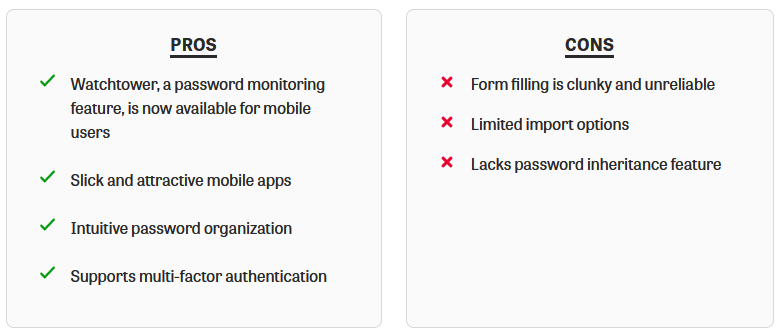
A noteworthy aspect, the Watchtower feature within 1Password proactively scans and monitors passwords to detect potential compromises by cross-referencing against databases of compromised credentials.
Who is 1Password best for?
In terms of target users, 1Password emerges as an excellent choice for medium to large enterprises that experience ongoing growth. While suitable for newcomers, its standout features are particularly tailored to business needs. However, the absence of a free version might discourage the average individual user from exploring it.
Recent upgrades to 1Password
Recent enhancements include the launch of agent 1Password 8, bringing significant changes and fixes, such as expanded browser support for Opera, updated medical record templates, improved export capabilities, and a novel translator solution. Additionally, issues related to the locking mechanism were addressed.
1Password pricing
Regarding pricing, 1Password offers competitive rates for its individual and family plans. The pricing starts at $2 per month for individuals and $4.99 for families, positioning 1Password on the lower end of the price spectrum while offering robust features. The absence of a free trial might deter some curious users, but the allure of unlimited storage and device support, coupled with comprehensive enterprise features, places 1Password ahead of its competitors.
Pros and cons of 1Password
4. Keeper Password Manager & Digital Vault

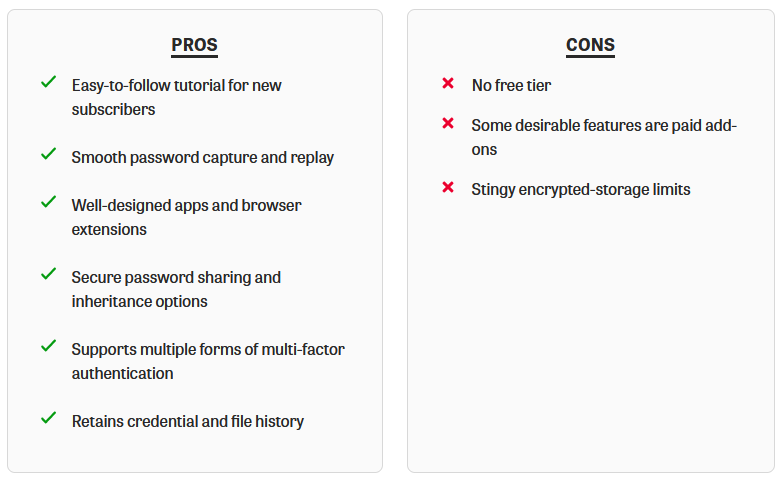
Keeper presents a dual offering of a free version and a paid subscription option priced at $2.91 per month, contingent on the chosen account type. Both the free and paid versions extend their services to an unrestricted number of devices while imposing no limitations on the quantity of stored passwords. The platform adheres to robust security standards, including 256-bit AES encryption, biometric authentication support, and a secure password generator to facilitate the creation of robust passwords.
A notable feature, Keeper’s Zero-Knowledge model, safeguards privacy by ensuring the platform lacks access to users’ master passwords or encryption keys required for data decryption. This layer of protection is a significant assurance of data security.
Keeper facilitates password sharing through a mechanism that permits trusted individuals to access an account without necessitating knowledge of the account owner’s credentials. Additionally, the platform’s synchronization across devices guarantees consistent accessibility to current credentials.
Who is Keeper best for?
In terms of its target audience, Keeper has gained popularity among small legal firms and privacy-conscious individuals. It particularly resonates with users who have prior experience with password managers and seek a more advanced and tailored experience.
Recent upgrades to Keeper
Recent enhancements to Keeper’s features include the ability to perform offline edits within the new user interface, an iOS one-time sharing feature, and native support for Near Field Communication (NFC) on Android devices. The platform also offers insights into upcoming features, granting users a transparent glimpse into the product’s roadmap.
Keeper pricing
Pricing options encompass a 30-day unlimited free trial that incorporates all premium plan features, as well as a free version with scaled-back functionalities in terms of access and sharing features. The premium plan is priced at $2.92 per month for a personal license and $6.25 per month for a family license, which covers up to five users. Keeper extends enterprise pricing at $3.75 for a single license. For larger deployments, customized quotes can be obtained by consulting the platform’s sales team.
Pros and cons of Keeper
5. NordPass
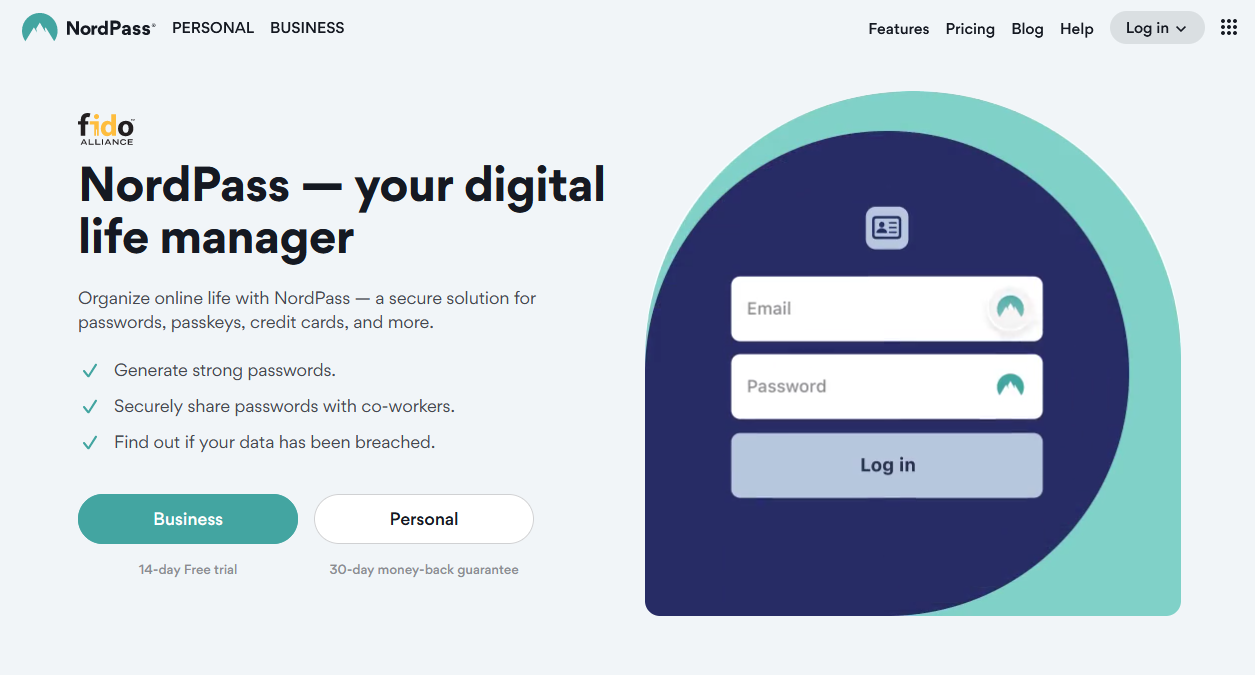
NordPass emerges as a cutting-edge password management solution, meticulously designed to streamline password generation, storage, autofill, and secure access across devices, thereby enhancing online experiences. Developed by the team behind NordVPN, NordPass inherits the same unwavering commitment to security, characterized by its zero-knowledge architecture, third-party security audit, and provision of two-factor authentication alternatives.
NordPass optimizes compatibility with devices, providing extensions for Edge, Chrome, Firefox, and Brave browsers. These extensions automatically save and fill in passwords on the go, eliminating the need to recall each password individually.
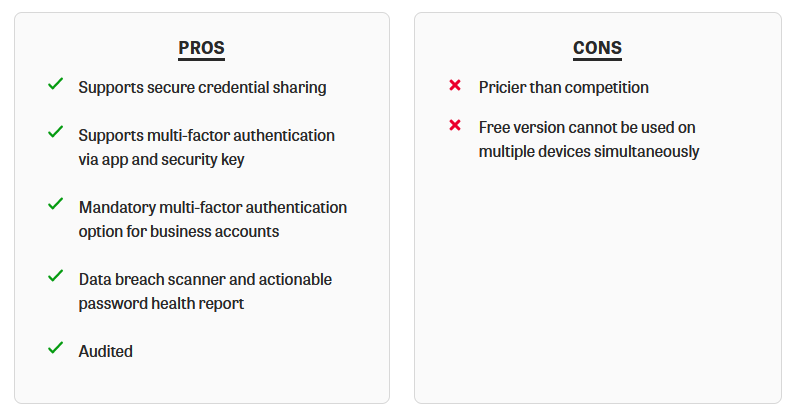
A notable highlight is its built-in data breach scanner, a sophisticated tool that detects potential account breaches. This feature instills confidence in users that NordPass diligently monitors their online accounts for any suspicious activities.
The password-sharing feature within NordPass fosters seamless sharing among members, mitigating the risk of multiple versions of credentials or external storage.
Additional intuitive features comprise biometric access, automatic encryption, a password generator, password health assessment (Premium feature), data breach scanning (Premium feature), and secure password sharing (Premium feature).
Who is NordPass best for?
Regarding the target user group, NordPass proves highly suitable for novices. The platform’s user-friendly nature makes it an ideal choice for beginners, with the added benefit of a free version to ascertain its compatibility with individual needs.
Recent upgrades to NordPass
Recent upgrades to NordPass include password information field updates, bug fixes, and language syntax enhancements. While the update release notes may be somewhat vague, they provide a high-level overview of major changes alongside a touch of lingo for a more engaging presentation.
NordPass pricing
In terms of pricing, NordPass offers a range of plans that fall on the more affordable side of the market. The offerings encompass a free version, a premium individual license priced at $1.49 per month, and a family plan available for $4.99 per month. The family plan caters to six user accounts and both premium and family plans incorporate a 30-day money-back guarantee. Notably, the family plan also grants access to 24/7 customer support to ensure smooth operationality.
Pros and cons of NordPass
The Best Password Protection
When you embark on your journey with a password manager, one of the initial steps involves creating a master password for your account. This master password serves as a critical key to encrypt the contents of your password vault, and striking the right balance between complexity and memorability is essential. While it’s crucial to make the master password robust enough to thwart any attempts at guessing, it’s equally important that it remains within your memory’s reach. After all, an overly complex master password could become unrecoverable, leaving you locked out of your own vault.
Interestingly, certain password managers, such as Keeper, are breaking new ground by introducing passwordless entry to their platforms. This innovative approach offers an alternative to the conventional master password paradigm. With passwordless technology, accessing your desktop or mobile password vault becomes a breeze. This can be accomplished using various methods, including scanning a QR code through a third-party authenticator app, utilizing biometric authentication, employing a magic link, or leveraging a one-time password.
Taking security a step further, setting up multi-factor authentication (MFA) for your password manager account is highly recommended. MFA adds an additional layer of protection by requiring multiple forms of verification for account access. This can take the form of biometric authentication, SMS-based codes, or time-based one-time passwords (TOTPs) stored within an authenticator app. Premium password managers often support advanced authentication methods like U2F or OTP-based hardware security keys. These hardware keys, resembling an actual key and typically attachable to a key ring, offer robust protection against unauthorized access.
Before fully committing to a specific password manager, it’s imperative to ensure that it seamlessly integrates with all the devices you use. Compatibility across various platforms, including Windows, macOS, and even Linux, should be confirmed. Many password managers now offer native applications for Linux users, a testament to the growing inclusivity of their services. Additionally, the best password managers provide browser extensions that are compatible with popular browsers, allowing independent operation without solely relying on a desktop application.
In a world where cyber threats are ever-present, the mastery of password management has never been more crucial. The landscape continues to evolve, with passwordless technologies and advanced authentication methods leading the charge towards enhanced security and convenience. As you explore the realm of password managers, the choice of the right one, coupled with the implementation of sound security practices, can fortify your digital presence and bring you peace of mind.


