



PDF Expert stands as a swift and user-friendly PDF editor, enabling you to effortlessly edit PDF text, images, and links, annotate, fill out forms, and more. While PDF Expert for iOS has flourished for over a decade, its Mac counterpart debuted in 2015, garnering a user base of over 6 million individuals. Readdle’s primary objective with PDF Expert was to craft an unrivaled PDF experience tailored for Apple devices.
Aligned with this goal, Readdle consistently updates the app to synchronize with Apple’s latest advancements. A prime illustration of this synergy is the integration of the OCR (Optical Character Recognition) feature powered by the Apple Vision framework. This transformative feature optimizes PDF Expert’s performance on macOS, enhancing the ability to swiftly extract text from scanned documents. This synergy with cutting-edge technology exemplifies PDF Expert’s commitment to offering users the fastest and most seamless PDF manipulation experience possible.
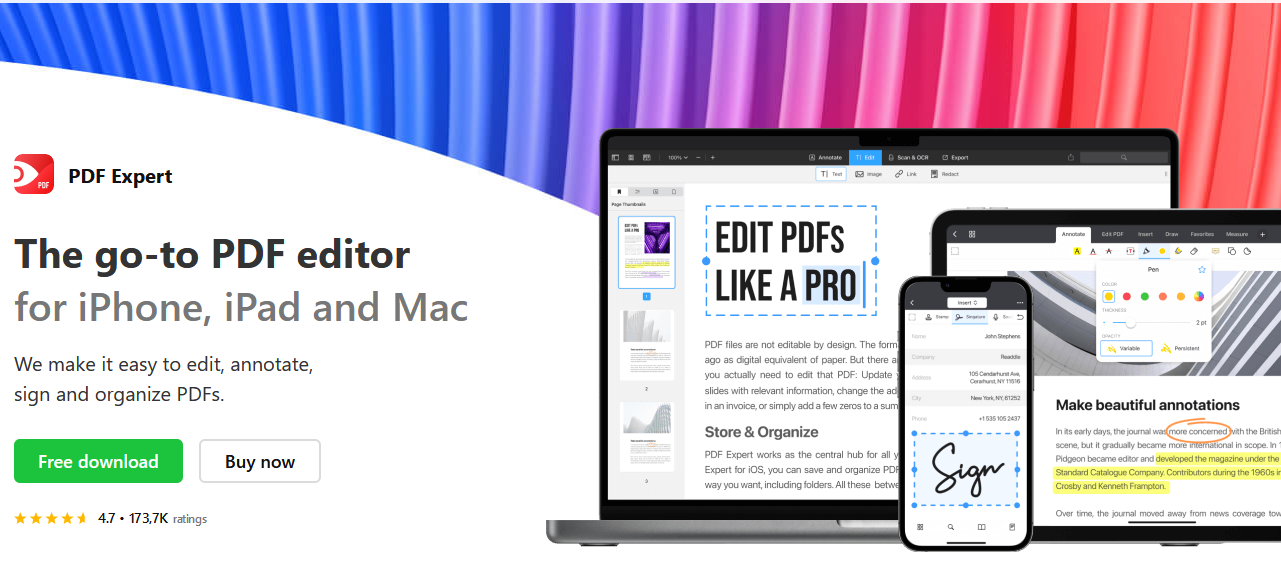
What’s New in PDF Expert for Mac?
The latest iteration of PDF Expert for Mac marks a monumental leap forward, constituting the most significant update to the app in years. This new version introduces a user-friendly design, heralding a seamless and intuitive experience for users. Notably, it integrates an OCR feature, enabling the transformation of scans into editable text, and a revolutionary PDF to Word conversion capability. These additions elevate the functionality of PDF Expert to unprecedented heights.
PDF Expert extends its availability through new cross-platform accounts, allowing users to harness its prowess across various devices. Furthermore, for Mac enthusiasts, the option of a lifetime license ensures exclusive access to its exceptional features. With these comprehensive enhancements, PDF Expert reinforces its undisputed status as the premier PDF application for users of iPhone, iPad, and Mac, solidifying its reputation as the ultimate choice for all PDF-related tasks across Apple devices.
Main Features of the Update
Revitalized with a brand-new design, the latest version of PDF Expert introduces a seamless Dark Mode, meticulously crafted to facilitate effortless navigation and enhanced productivity. This long-awaited addition serves as a visual treat, catering to user comfort and aesthetics.
Moreover, the update bestows the capability of converting PDF files to a variety of formats, including Word, Excel, TXT, JPG, PNG, and PowerPoint. This transformational feature empowers users to seamlessly interchange between these formats, enhancing the versatility of their documents.
A crowning jewel of this upgrade is the incorporation of Smart OCR technology. This cutting-edge advancement enables the conversion of scanned PDFs into editable text, a groundbreaking capability that empowers users to copy, highlight, and conduct thorough searches within these previously static files.
To further elevate the PDF experience, the Smart Enhance feature comes into play. This intelligent tool comprehensively improves the quality of scanned PDFs, rectifying contrast issues, eliminating distortions, modifying margins, and even facilitating the division of pages.
Collectively, these remarkable enhancements embody PDF Expert’s dedication to refining user interactions with PDFs, making it a pivotal tool for those seeking efficient, sophisticated, and comprehensive PDF manipulation capabilities.
Privacy Policy
Rest assured, PDF Expert prioritizes your data privacy. Your files are securely stored exclusively on your device, ensuring that you retain full control and access. Not a trace of your data, in any form, finds its way to Readdle’s servers. For comprehensive details regarding our approach to privacy and data security, we encourage you to review the developer’s privacy policy. Your confidence in PDF Expert’s commitment to safeguarding your information is paramount to us.
Pricing & Availability
- Subscription Package: For users seeking a comprehensive PDF experience across their iPhone, iPad, and Mac devices, PDF Expert introduces a single subscription. New users are welcomed with a 7-day free access to the Premium features, and this comes with no commitment. Following the trial, the annual subscription fee amounts to $79.99, unlocking a suite of enhanced functionalities.
- Mac Only Lifetime License: If your focus is solely on the Mac version of PDF Expert, a lifetime license is available for purchase at $139.99. This option caters specifically to Mac users who value perpetual access to the app’s features.
- Valued Treatment for Existing Customers: Current PDF Expert users are not left behind. Existing customers retain all the features they’ve enjoyed thus far, preserving their functionalities indefinitely. However, for those intrigued by the new features such as OCR, PDF to Word conversion, scan enhancement, and cross-device access, an upgrade to the Premium package is possible. As an incentive, new feature access comes with a special offer: 50% off during the first year of the Premium upgrade.
These pricing structures are tailored to provide both flexibility and value, ensuring that every user can select the option that aligns with their needs and preferences.
User Experience
As someone who frequently utilizes PDF Expert, I was genuinely excited to witness the forthcoming enhancements hinted at by the update notes. While Dark Mode certainly caught my attention due to its potential benefits, the prospect of converting PDF files to alternative formats was equally enticing and had been on my radar for quite some time. Below, I’ll provide a brief overview of my perspectives on each of the latest features introduced in the PDF Expert for Mac update.
Dark Mode Delight
The introduction of Dark Mode brings a notable transformation to the overall user interface of PDF Expert. I’ve always appreciated the app’s functionality, but the visual revamp performed by the Readdle team has truly impressed me. Every icon and detail has been given a modernized touch, with subtle elements like the ability to adjust the pen tool’s line width showcasing the team’s attention to detail. Personally, I find that Dark Mode significantly contributes to my ability to focus on the content itself rather than the surrounding tools. This resonates with my experience using Dark Mode in other apps, where it aids concentration and enhances readability. Additionally, I applaud Readdle for making it easy for users who prefer system-wide Dark Mode to extend this preference to the PDF Expert interface.
PDF to Word Conversion
The capability to seamlessly convert PDF files to various formats has long been a feature I’ve eagerly awaited. The ability to transition from a PDF document to formats such as Word, Excel, TXT, JPG, PNG, and PowerPoint, as well as vice versa, is a game-changer. This functionality significantly enhances the versatility and utility of PDF Expert, streamlining tasks that often required additional software or conversions.
Smart OCR Technology
The introduction of Smart OCR technology marks a significant step forward in PDF Expert’s capabilities. Converting scanned PDFs into editable text opens up new avenues for interacting with documents. Personally, I find this feature particularly valuable when I need to copy, highlight, or search through text within scanned PDFs. The integration of Smart OCR contributes to an enriched PDF experience, as it expands the possibilities for engaging with content.
Smart Enhance
The Smart Enhance feature has proven to be a practical addition to the update. It empowers users to enhance the quality of scanned PDFs, addressing common issues such as contrast, distortion, margins, and even page splitting. This feature aligns with the app’s goal of providing a comprehensive and user-friendly solution for PDF management, further elevating the quality of document interactions.
The Bottom Line
While the transition to the NEW PDF Expert for Mac might involve a cost for existing users, I appreciate Readdle’s approach of introducing a unified licensing payment that extends to all Apple devices. Additionally, the inclusion of a free trial period (lasting 7 days) is a commendable move, as it allows potential users to test the waters before making a commitment. Given my extensive use of PDF Expert throughout the years, I find this investment to be well worth it.
All of the new features that PDF Expert for Mac brings to the table are categorized as premium features, ensuring that users benefit from an enhanced and top-tier experience while interacting with the app. This focus on premium features reinforces the commitment to providing users with the best possible utility and efficiency. Whether it’s the convenience of Dark Mode, the versatility of PDF to Word conversion, the innovation of Smart OCR technology, or the practicality of Smart Enhance, each addition works together to elevate the overall experience.
For those who have yet to become acquainted with PDF Expert, this is indeed an opportune moment to dive in. The enhancements in this update not only cater to existing users’ expectations but also lay a strong foundation for newcomers seeking an exceptional PDF management solution. With its user-centric approach and the introduction of meaningful features, PDF Expert for Mac is poised to be a valuable tool for those who require efficient and comprehensive PDF management. Now is a perfect time to explore PDF Expert and unlock a world of possibilities for seamless document interactions.


